How to Make a Gaming Logo or Mascot Logo Using CapCut PC AI Tools
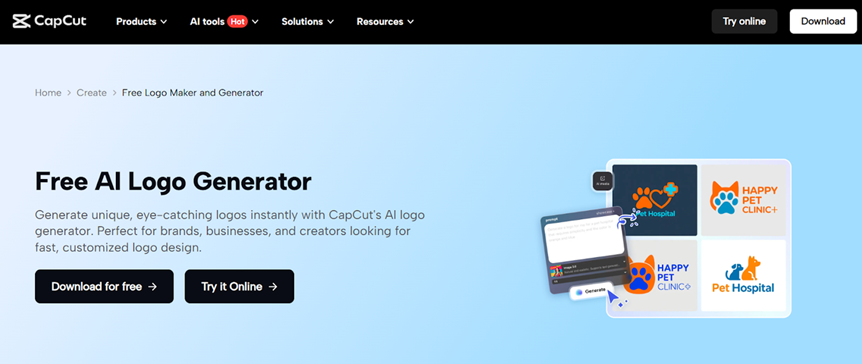
A great gaming or mascot logo immediately establishes your identity in the gaming world. Whether you’re creating a personal gaming brand or launching an esports team, your logo plays a major role. It also appears in your Twitch, YouTube, or Discord visuals. Bold colors, dynamic shapes, and expressive characters define most gaming logos. However, a professional graphic designer’s tools and the ability to draw characters right before one’s eyes are not accessible to everyone.
This is where AI tools provided by CapCut PC fit. Using such smart features as the inbuilt AI logo generator and AI image generator, it is possible to create intense, stylized, and original gaming logos with minimum effort. CapCut is a software that removes all the stress out of designing by converting your ideas into images in real time, yet it still provides the ability to edit and customize fully.
The following is a detailed tutorial on how to create your own gaming logo or mascot logo using CapCut PC.
Why CapCut Is Perfect for Gaming Logo Design
Gaming logos need vitality, character, and a daring visual image. The nature of conventional design software complicates this for non-advanced individuals, and personalized mascot icons may need costly designers. This issue is addressed by CapCut using AI-based creativity. All you do is enter the character or style that you desire, and CapCut will create a variety of versions in an instant.
The strengths of the platform are:
- The capability to create Mascot-type characters (wolves, tigers, warriors, robots, dragons, etc.).
- Esports jerseys, banners, and streaming design of high quality.
- Complete editing capabilities of adding text, color accents, and special effects.
- User-friendly interface that is ideal for novices and amateur gamers.
Whether your style is aggressive, cute, cyberpunk, retro, minimalist, or anime-inspired, CapCut can create it for you.
Operational Steps for Creating a Gaming or Mascot Logo on CapCut PC
Begin by establishing a new project with the help of CapCut and open AI Media > AI Image. Type a description of your gaming logo or style of mascot. e.g.: fierce wolf mascot logo, neon blue and black, esports-style, or cyberspace robot warrior body armor logo with glowing eyes. You may also add a reference picture in case you already have an idea of what kind of mascot you want.
Select one of the AI generation models available at CapCut, such as Nano Banana Pro, Seedream 4.0, Seedream 3.0, Seedream 3.1, or Flux 1.1 Pro. The models make your mascot look in a different style or artistic touch. Once you have chosen the model that appeals to your gaming personality, click Generate to produce multiple mascot logo variations.
When your mascot or gaming icon is created, customize it in the editing panel of CapCut. Write your gamer tag, clan name, or team title. Customize fonts to suit your taste; blocky, sharp fonts, sci-fi fonts, and graffiti fonts are particularly suitable for games. It is also possible to switch colors, add glow effects, add outlines, or even refine your character to enhance detail and impact.
Once ready with your design, click the three-line menu on the right side of the panel and select Export. Use a high resolution of 8K or more to retain its sharpness in platforms like Twitch, YouTube, Discord, and esports jerseys. Select the PNG file when you are interested in a transparent background and save your final gaming or mascot logo.
Tips for Creating the Perfect Gaming or Mascot Logo
Gaming logos must be memorable and powerful. The following are some of the suggestions to be a better designer:
- Choose strong colors
Gaming logos can be made conspicuous with the use of colors that are either neon, contrast colors, or high contrast.
- Keep characters expressive
Exaggerated features—like sharp outlines, expressive eyes, or bold shapes—enhance mascot personalities.
- Match the logo to your game genre
Futuristic or military mascots are effective for shooters. In the case of fantasy, dragons, knights, or fictional animals are more appealing.
- Use bold typography
The gamer tag or team name that you use must be legible even in small fonts.
The editor of CapCut allows one to add glow effects, outlines, shadows, and color accents without much difficulty to make the game look more like a game.
How CapCut Transforms AI Concepts Into Gaming Identity
Mascot logos are conventionally hand-drawn by professional artists. With the CapCut AI image generator, you can achieve the same results within minutes because of AI-based generation models. The platform will allow one to avoid hand-drawing characters or spending money on commissioned art. Rather, you can concentrate on how your mascot looks – fierce, mysterious, cute, robotic, powerful – and AI will give the image of the mascot.
After creating your logo with CapCut, there are editing features that provide you the creative options. You have the option to enhance the appearance of the character, provide the effect of drama, or even change the color to suit your theme on the gaming channel. This AI + editing allows having a combination of a fast, flexible, and accessible workflow accessible to all gamers.
Final Thoughts
Any gaming logo is not a graphic design; it is only your name in the real world. The use of the AI tools provided by CapCut PC makes the process of making a mascot or a gaming logo enjoyable and easy. With a few prompts, you can create ferocious dogs, warriors, fantasy-inspired creatures, or, in the future, robots and edit them with the CapCut editor to a high standard, then export and use your new logo like any Twitch, YouTube, Discord, or esports team.
Branding can be made affordable to all through the AI logo generator and AI image generator at CapCut. It can be considered that with only four easy steps, which include entering a prompt, creating a design, editing the same, and exporting, you can create a professional gaming logo that will actually reflect your style.